
SMS FORWARDLY
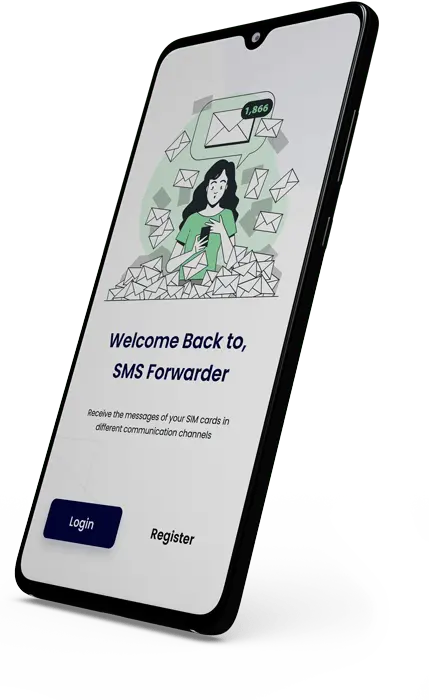
SMS Forwardly offers a solution to forward messages from a home country SIM card to Gmail, Telegram, or a user panel. This service provides uninterrupted access to essential SMS, vital for online transactions and verifications, regardless of the user’s location, ensuring seamless connectivity for both personal and business needs.





Our
Features
Seamlessly forward your SIM Card messages to Email, Telegram, and the User Panel with SMS Forwardly – Forward Securely, Deliver Reliably.
SMS to Telegram
Enable this option in your user panel settings and receive your SIM card messages directly in Telegram. This integration provides the convenience of accessing your SMS communications through Telegram, enhancing your connectivity experience while on the go
SMS to Email
Ensure you never miss an SMS. With SMS Forwardly, have all your text messages instantly forwarded to your chosen Gmail account. This not only keeps a record of your messages for easy reference but also allows for straightforward searching and archiving, streamlining your communication management.
SMS to Panel
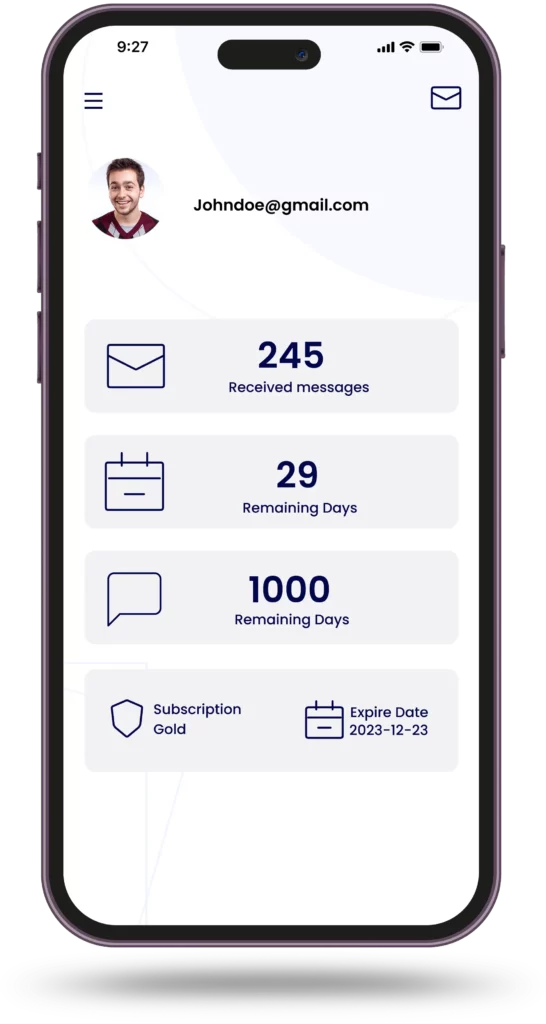
Effortlessly manage your SMS communications using our user-friendly panel. It enables you to monitor forwarded messages, establish personalized forwarding rules, and decide precisely where each message should go, all within a single, convenient interface.
Customizable Filtering
Set up specific filters to determine which SMS messages get forwarded to your email, Telegram, or user panel. This feature ensures that only the most pertinent messages reach your chosen platforms, aiding in maintaining an organized and streamlined communication flow
Pricing
Pricing
The price of our services
tutorial
Tutorial
Installing and setting up SMS Forwardly on the Android device with the relevant SIM card is crucial, as this allows the app to access and forward the messages received on that particular platform.
Get the SMSForwardly app from the Google Play Store or visit smsforwardly.com to download it. Install the app on your Android device that has the SIM card for sending SMS. The app will request permission to access your SMS messages during installation.
Open the app and sign up using your email address. Check the email for a verification email Click on the verification link in the email. After verification, click on “Go to Login” on the application to be redirected to the User Panel to continue the configuration.
In the User Panel, select and buy a subscription plan The Silver plan offers message forwarding to Telegram and the User Panel, while the Gold plan extends this functionality to include forwarding to Gmail as well. For both plans, forwarding to the User plan is possible.
In the user panel under ‘Message Settings’, you can choose to forward SMS messages to email and Telegram, and apply filters to manage which messages get forwarded, making your communication more organized and efficient.
Visit the SMSForwardly Telegram bot at t.me/smsforwardlyBot. Start the bot and follow the instructions. Enter the verification code sent to your email address to link your Telegram account with SMSForwardly
Download SMS Forwardly from the Google Play Store or the website, and install it on your Android device. Register and verify the email, then buy the plan. Customize the settings in the message setting. Integrate it with Telegram using the SMSForwardly Bot for seamless message forwarding. Enjoy!
Download the Application
Get the SMSForwardly app from the Google Play Store or visit smsforwardly.com to download it. Install the app on your Android device that has the SIM card for sending SMS. The app will request permission to access your SMS messages during installation.
User Registration
Open the app and sign up using your email address. Check the email for a verification email Click on the verification link in the email. After verification, click on “Go to Login” on the application to be redirected to the User Panel to continue the configuration.
Buy the Subscription
In the User Panel, select and buy a subscription plan The Silver plan offers message forwarding to Telegram and the User Panel, while the Gold plan extends this functionality to include forwarding to Gmail as well. For both plans, forwarding to the User plan is possible.
Setting up SMS Forwarding
In the user panel under ‘Message Settings’, you can choose to forward SMS messages to email and Telegram, and apply filters to manage which messages get forwarded, making your communication more organized and efficient.
Integrating with Telegram
Visit the SMSForwardly Telegram bot at t.me/smsforwardlyBot. Start the bot and follow the instructions. Enter the verification code sent to your email address to link your Telegram account with SMSForwardly
Final Step
Download SMS Forwardly from the Google Play Store or the website, and install it on your Android device. Register and verify the email, then buy the plan. Customize the settings in the message setting. Integrate it with Telegram using the SMSForwardly Bot for seamless message forwarding. Enjoy!
HOW CAN WE HELP YOU ?